
Maven LIVE: AI Agents & Tools for Product Managers | Overview
- chelsea oswald
- 5 days ago
- 4 min read

1. The Shift: From Chat AI → Work AI
Historically we’ve used AI like this:
PM → ask AI a question → AI responds.
But new AI tools allow AI to execute work, not just answer prompts.
Instead of:
PM → ask question
We are moving toward:
PM → assign task
AI → executes workflow
PM → reviews output
These systems are often called AI agents.
An AI agent is a software system that can perceive information, make decisions, and take actions to achieve a goal—often autonomously and iteratively.
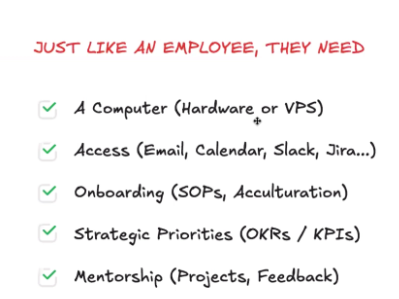
Agents do not automatically have access to your data. They will need access to certain data or systems in order to perform tasks effectively. What they can do depends entirely on what access and permissions you give them. Many organizations use agents in read-only mode at first.
Example - Linear monitoring agent: Continuously monitors Linear, identifies new tickets, status changes, and blockers, and automatically posts a daily summary of project/ticket progress, new bugs created, and changes in sprint priorities.

Examples of Agent Tools
These tools allow you to create or run AI agents.
Tool | What it does | Link |
Claude Code | Autonomously reads, writes, and edits code across your entire codebase | |
Claude Cowork | Anthropic's desktop agent — autonomously manages files and tasks on your computer | |
GitHub Copilot (Agent mode) | Takes multi-step coding tasks across files, runs tests, fixes bugs autonomously |
Note: Claude AI itself is already an agent — it can use tools, take multi-step actions, connect to external services, and operate autonomously via Claude Code. The tools above are useful when you need to orchestrate Claude alongside other systems, build custom agent pipelines, or automate workflows beyond a single conversation.

What PMs Should Try First
If you’re new to AI agents, the easiest way to experiment is to start with workflow automation tools.
Good starting point:
Claude AI
Example experiment:
Create a workflow that:
Checks Linear every morning
Sends ticket data to an AI model
Generates a short project update
Posts the summary in Slack
This is a simple example of an AI-powered workflow agent.


A Practical AI PM Tech Stack
Below is a realistic set of AI tools PMs at Later can experiment with.
You do not need to learn all of them. Think of this as a menu of tools that can help with different types of work.
LLM Interfaces (Daily Work)
These are the AI tools most PMs will interact with every day. They are useful for writing, analyzing information, and thinking through problems.
Tool | What it’s good for | Links |
ChatGPT | Brainstorming ideas, writing product docs, summarizing notes | |
Claude AI | Analyzing long documents like PRDs, specs, create mock ups, write code or research |
Claude also has a library of connectors that you can use to perform tasks quicker. | https://claude.ai | | Gemini | Quick research and answering factual questions | https://gemini.google.com |
AI Coding Assistants (For Building Tools)
These tools help you build small tools or prototypes without needing engineering help in a specific code base, not just playing around.
Tool | Description | Link |
Cursor | AI-powered code editor that helps write and modify code in existing projects | |
Claude Code | AI that helps generate and reason about more complex codebases | |
GitHub Copilot (Agent mode) | Takes multi-step coding tasks across files, runs tests, fixes bugs autonomously | |
Replit AI | Online development environment where you can quickly build small apps or scripts |
Example things PMs could build:
quick internal dashboards
small scripts to process data
simple tools that call an API
rough prototypes of product ideas
The goal is rapid experimentation, not production-ready systems.
Workflow Automation
These tools connect different apps together and automate repetitive tasks.
For example, they can automatically move information between systems or trigger AI tasks.
Tool | Description | Link |
n8n | Visual workflow builder for connecting apps and automating processes | |
Zapier | Popular automation tool for connecting thousands of apps | |
Make | Another visual automation tool for building workflows between systems | |
OpenClaw | AI-powered automation that can run continuously and perform more complex workflows |
Terminal Basics
Some AI coding tools occasionally use the terminal (like Claude Code).
The terminal is simply a text-based way to interact with your computer by typing commands instead of clicking buttons.
Developers often use it because it’s a faster way to run tools, install packages, or start applications.
For example, an AI coding assistant might ask you to copy and paste a command like:
npm install
This just tells your computer to install the packages needed for a project.
You don’t need to learn the terminal deeply, but it helps to recognize a few common commands.
Helpful ones you might see:
cd   → move into a folder
ls   → list files in a folder
git  → manage versions of code
npm  → install and run packages
Beginner guide (optional):
Most AI coding tools will tell you exactly what to copy and paste, so basic familiarity is usually enough.
Key Mindset Shift
Old model: PM produces artifacts manually.
New model: PM supervises systems that generate artifacts.


This is less about working faster and more about amplifying output.


Comments